
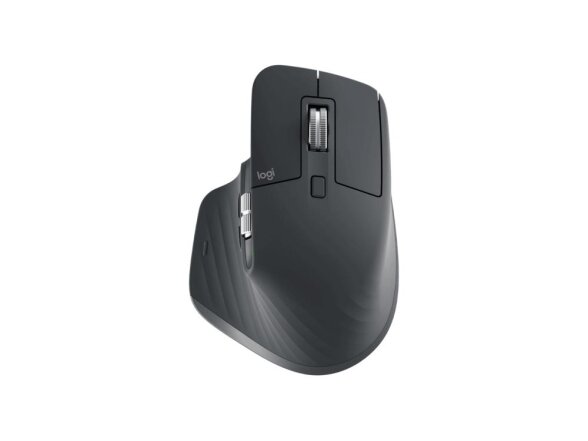
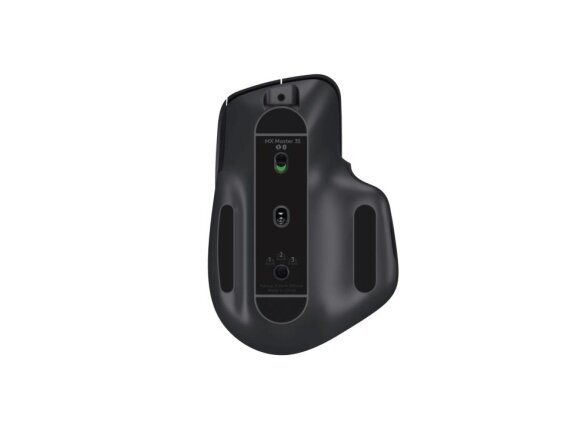
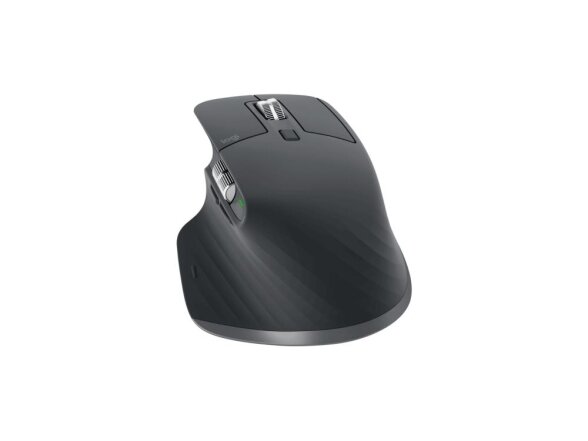
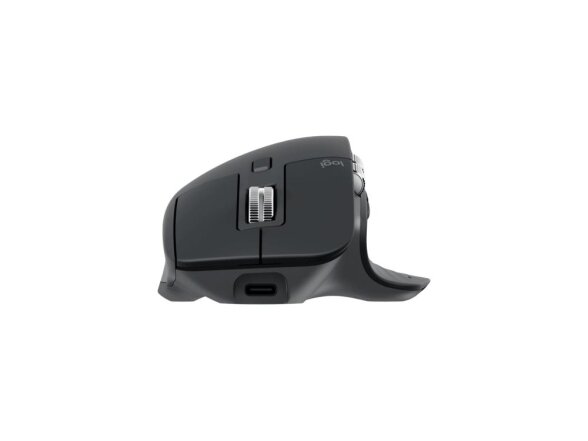
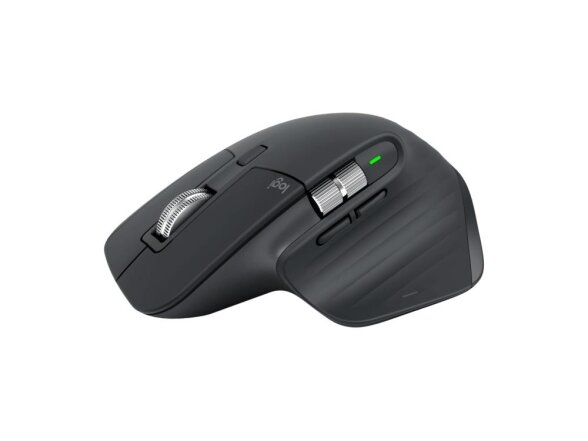
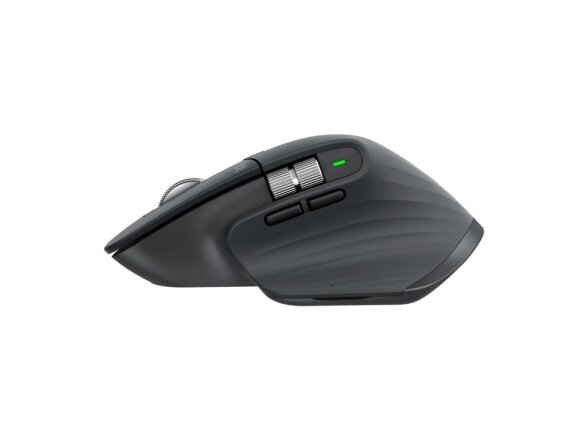
MOUSE BLUETH OPTICAL MASTER 3S/BLACK 910-006559 LOGITECH
Kodas: 1390398Kaina 134.66 €Netinka kaina? Siūlyk savo!Preliminarus pristatymo terminas: 2 - 4 d. d.Šią prekę turime sandėlyje.Likutis: 15 vnt.Lizingo skaičiuoklės- artea
-
LOGITECH MX MASTER 3S BLACK 910-006559
Meet MX Master 3S – an iconic mouse remastered. Feel every moment of your workflow with even more precision, tactility, and performance, thanks to Quiet Clicks and an 8,000 DPI track-on-glass sensor.
FEEL IT – BARELY HEAR IT
Introducing Quiet Clicks – create, make and do with the same click feel, but less noise. Quiet Clicks deliver satisfying, soft tactile feedback with 90% less click noise. Add that to a remarkably quiet MagSpeed electromagnetic scroll wheel for a high performance experience with zero distraction.
8K DPI ANY-SURFACE TRACKING
MX Master 3S is outfitted with our most accurate sensor ever, with next-gen precision and responsiveness. The 8,000 DPI optical sensor tracks virtually anywhere – even on glass. You can adjust your tracking sensitivity in Logi Options+ and set the right level for your workflow and monitor resolution.
SCROLL 1,000 LINES PER SECOND
MagSpeed Electromagnetic scrolling is precise enough to stop on a pixel and quick enough to scroll 1,000 lines per second. Oh, and it’s nearly silent. The wheel’s machined steel gives it a premium tactility and enough weight to offer a dynamic inertia you feel – but don’t hear.
DO MORE WITH LOGI OPTIONS+
Do more with your mice with Logi Options+. Work across devices and operating systems using Flow, customize individual buttons, set tracking speed, use predefined app-specific customizations and Smart Actions to optimize nearly every aspect of your workflow.
APP-SPECIFIC CUSTOMIZATIONS
MX Master 3S is fully customizable in virtually every app you use with Logi Options+. You’ll work faster with predefined customizations optimized for your favorite apps such as Adobe Photoshop, Adobe Premiere Pro, Final Cut Pro, Google Chrome, Safari, Zoom, and Microsoft Teams, Word, Excel, PowerPoint, and Edge.
FLOW BETWEEN DEVICES
Logi Options+ lets you flow between computers by simply moving your cursor to the edge of the screen. Your MX keyboard follows your MX Master 3S and lets your workstream flow between Windows and macOS. Effortlessly transfer text, images, and files between computers – just copy on one and paste to the other.
CHARGE QUICKLY, CONNECT INSTANTLY
MX Master 3S stays powered for up to 70 days on a full charge – and gets three hours of use from a one-minute quick charge. Use the included USB-C charging cable to top up the power.
HAND SCULPTED, ALL DAY COMFORT.
Work comfortably with an ergonomic silhouette crafted to support your palm and fingers. Textured surfaces provide a confident grip for total control. The unique tilt angle of MX Master 3S positions your arm in a more natural posture for better comfort. Optimally placed thumb controls are positioned for quick, intuitive access and fast navigation. The side scroll wheel follows the natural movement of the thumb for fluid and intuitive horizontal navigation.GamintojasLOGITECHGarantija12/24AprašymasLOGITECH MX MASTER 3S BLACK 910-006559
Meet MX Master 3S – an iconic mouse remastered. Feel every moment of your workflow with even more precision, tactility, and performance, thanks to Quiet Clicks and an 8,000 DPI track-on-glass sensor.
FEEL IT – BARELY HEAR IT
Introducing Quiet Clicks – create, make and do with the same click feel, but less noise. Quiet Clicks deliver satisfying, soft tactile feedback with 90% less click noise. Add that to a remarkably quiet MagSpeed electromagnetic scroll wheel for a high performance experience with zero distraction.
8K DPI ANY-SURFACE TRACKING
MX Master 3S is outfitted with our most accurate sensor ever, with next-gen precision and responsiveness. The 8,000 DPI optical sensor tracks virtually anywhere – even on glass. You can adjust your tracking sensitivity in Logi Options+ and set the right level for your workflow and monitor resolution.
SCROLL 1,000 LINES PER SECOND
MagSpeed Electromagnetic scrolling is precise enough to stop on a pixel and quick enough to scroll 1,000 lines per second. Oh, and it’s nearly silent. The wheel’s machined steel gives it a premium tactility and enough weight to offer a dynamic inertia you feel – but don’t hear.
DO MORE WITH LOGI OPTIONS+
Do more with your mice with Logi Options+. Work across devices and operating systems using Flow, customize individual buttons, set tracking speed, use predefined app-specific customizations and Smart Actions to optimize nearly every aspect of your workflow.
APP-SPECIFIC CUSTOMIZATIONS
MX Master 3S is fully customizable in virtually every app you use with Logi Options+. You’ll work faster with predefined customizations optimized for your favorite apps such as Adobe Photoshop, Adobe Premiere Pro, Final Cut Pro, Google Chrome, Safari, Zoom, and Microsoft Teams, Word, Excel, PowerPoint, and Edge.
FLOW BETWEEN DEVICES
Logi Options+ lets you flow between computers by simply moving your cursor to the edge of the screen. Your MX keyboard follows your MX Master 3S and lets your workstream flow between Windows and macOS. Effortlessly transfer text, images, and files between computers – just copy on one and paste to the other.
CHARGE QUICKLY, CONNECT INSTANTLY
MX Master 3S stays powered for up to 70 days on a full charge – and gets three hours of use from a one-minute quick charge. Use the included USB-C charging cable to top up the power.
HAND SCULPTED, ALL DAY COMFORT.
Work comfortably with an ergonomic silhouette crafted to support your palm and fingers. Textured surfaces provide a confident grip for total control. The unique tilt angle of MX Master 3S positions your arm in a more natural posture for better comfort. Optimally placed thumb controls are positioned for quick, intuitive access and fast navigation. The side scroll wheel follows the natural movement of the thumb for fluid and intuitive horizontal navigation.Gamintojo internetinis puslapiswww.logitech.com/en-eu/products/mice/mx-master-3s.910-006559.htmlPelės kilimėlio funkcijosOpticalRezoliucija8000Mygtukų skaičius7Kategorijos kodasMOUUSBTaipModelisMX MASTER 3SBluetoothYraCategory CodeMOUSummaryLogitech MX Master 3S Performance Wireless Mouse. Form factor: Right-hand. Movement detection technology: Laser, Device interface: Bluetooth, Movement resolution: 8000 DPI, Buttons type: Pressed buttons, Buttons quantity: 7, Scroll type: Wheel. Power source: Batteries. Works on any surface. Product colour: GraphiteBattery weight12Minimum system requirementsWhat you need: Logi Bolt USB Receiver Requires available USB Port Windows 10, 11 or later macOS 10.15 or later Linux (8) Chrome OS (8) Bluetooth Low Energy Requires Bluetooth Low Energy technology iPadOS 14 or later (8) AndroidTM 8.0 or later (8) Not compLong DescriptionLogitech MX Master 3S Performance Wireless Mouse. Form factor: Right-hand. Movement detection technology: Laser, Device interface: Bluetooth, Movement resolution: 8000 DPI, Buttons type: Pressed buttons, Buttons quantity: 7, Scroll type: Wheel. Power source: Batteries. Works on any surface. Product colour: GraphiteDisclaimer(1) 4 mm minimum glass thickness (2) Compared to MX Master 3, MX Master 3S has 90% less Sound Power Level left and right click, measured at 1m (3) Compared to regular Logitech mouse without an electromagnetic scroll wheel (4) Compared to Logitech Master 2S mouse with Logitech Options installed and Smooth scrolling enabled (5) Requires Logi Options+ software, available for Windows and macOS (6) Not compatible with Logitech Unifying technology (7) Battery life may vary based on user and computing conditions. (8) Device basic functions will be supported without software for operating systems other than Windows and macOS (9) Wireless range may vary depending on operating environment and computer setup (10) Excludes plastic in printed wiring assembly (PWA), receiver, wire, FFC cable, and packaging.NameMOUSE BLUETH OPTICAL MASTER 3S/BLACK 910-006559 LOGITECHĮrenginio sąsaja„Bluetooth“Judėjimo detekcijos technologijaLazerisJudėjimo rezoliucija8000Mygtukų tipasPaspausti mygtukaiSlinkties tipasRatukasSlinkties kryptysVertikaliai/HorizontaliaiSlinkties ratukų skaičius2Mygtukų kiekis7FormaDešinės rankosProdukto spalvaGrafitasKabelio ilgis1Maitinimo šaltinisBaterijosPalaikomos „Windows“ operacinės sistemosTaipPlotis84.3Ilgis124.9Aukštis51Svoris141Kiekis pakuotėje1Pakuotės plotis59Pakuotės gylis140Paketo svoris333.6Pakuotės aukštis175Bruto svoris0.325Neto svoris0.141Vienetų skaičius vienoje siuntimo dėžėje1Vieneto plotis6Vieneto gylis18Vieneto aukštis14PaskirtisBiurasUSB „Type-C“ įkrovimo lizdasTaipImtuvo plotis14.4Imtuvo gylis6.6Imtuvo ilgis18.4Pasirenkama judesio raiškaTaipDarniosios sistemos (DS) kodas84716070Paviršiaus nudažymasMonochromatinisTinka bet kuriam paviršiuiTaipPagrindinės (išorinės) dėžės plotis150Pagrindinės (išorinės) dėžės ilgis246Pagrindinės (išorinės) dėžės aukštis190Pagrindinės (išorinės) dėžės bendrasis svoris1520Ergonomiškas dizainasTaipProgramuojami pelės mygtukaiTaipPalaikomos MAC operacinės sistemosMacOSPalaikoma operacinė sistema „Linux“TaipPalaikomos mobiliosios operacinės sistemosAndroid/iPadOSKintamosios srovės adapterisNePakuotės tipas„Box“Dažnių juosta2.4Belaidžio ryšio atstumas10Palaikomų baterijų skaičius1Baterijos tipasIntegruota baterijaImtuvo svoris2Pridėtas imtuvasTaipBelaidžio imtuvo sąsajaUSB A tipoImtuvo tipasUnifying receiverPridėtos baterijosTaipBaterijaLithium-Ion polymer rechargeableMygtuko funkcijosAtgal (veiksmas)/DPI jungiklis/PriekisPakuočių kiekisMouse Logi Bolt USB receiver USB-C charging cable (USB-A to USB-C) User documentation„USB Power Delivery“NeKitos palaikomos operacinės sistemosChromeOSBaterijos technologijaLičio polimeras (LiPo)Minimalūs sistemos reikalavimaiWhat you need: Logi Bolt USB Receiver Requires available USB Port Windows 10, 11 or later macOS 10.15 or later Linux (8) Chrome OS (8) Bluetooth Low Energy Requires Bluetooth Low Energy technology iPadOS 14 or later (8) AndroidTM 8.0 or later (8) Not compĮkraunamaTaipGaminių skaičius ant padėklo4Gaminių skaičius įvairiarūšio transporto konteineryje (20 pėd.)16896Gaminių skaičius įvairiarūšio transporto konteineryje (40 pėd.)35328Gaminių skaičius įvairiarūšio transporto konteineryje (40 pėd., didelės talpos)41216Kelių įrenginių palaikymasTaipBaterijos talpa1.85Pridėti kabeliaiUSB A tipo jungties adapteris į USB C tipo jungtįNedaug energijos naudojantis „Bluetooth“ (BLE)TaipSuderinamumasLogi Bolt USB ReceiverReikalinga įkrovimo galia (didž.)2.5Reikalinga įkrovimo galia (maž.)2.5Pagrindinių (išorinių) dėžių skaičius ant padėklo216Pagrindinės (išorinės) dėžės tūris7011Pakuotės tūris1445.5Gaminių skaičius ant padėklo (ES)864Pagrindinių (išorinių) dėžių skaičius padėklo sluoksnyje (ES)216Pagrindinių (išorinių) dėžių skaičius įvairiarūšio transporto konteineryje (20 pėd.)4224Pagrindinių (išorinių) dėžių skaičius įvairiarūšio transporto konteineryje (40 pėd.)8832Pagrindinių (išorinių) dėžių skaičius įvairiarūšio transporto konteineryje (40 pėd., didelės talpos)10304Išbandei? Būk pirmas ir įvertink - padėk kitiems apsispręsti.Rašyti atsiliepimą
Prekių krepšelis
Krepšelis tuščias.